
Introduction
Web automation is no longer just about writing tests it’s about writing smart, maintainable, and scalable tests. In this post, I’ll show you how I combined Playwright MCP (Model-Centric Playwright) and GitHub Copilot to automate a real-world vendor search workflow.
You’ll learn how to:
- Setup a robust Playwright Project
- Use instructions and prompt files to enforce best practices.
- Leverage GitHub Copilot to accelerate development.
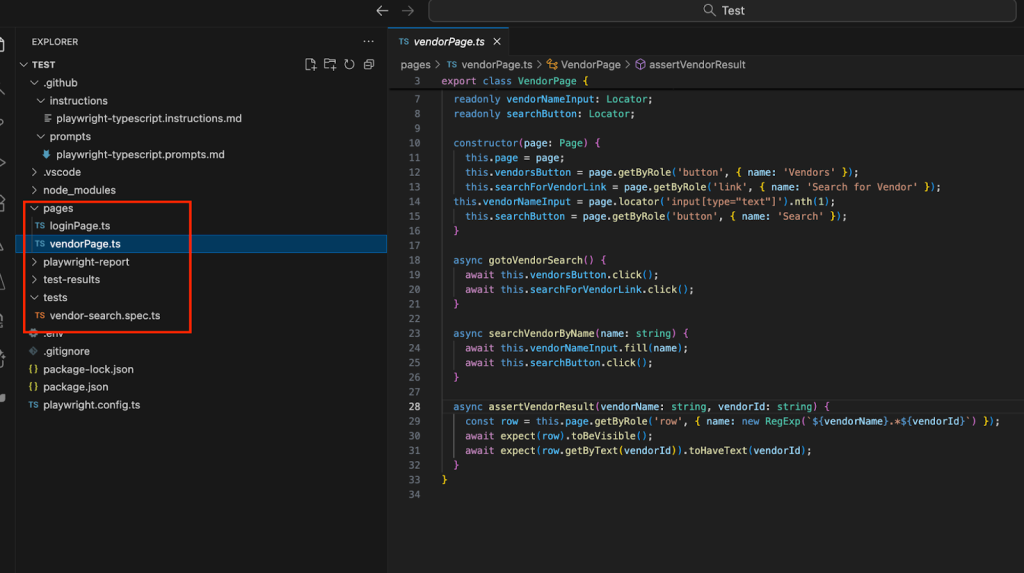
- Write clean, maintainable tests using the Page Object Model.
What is MCP ?
MCP (Model Context Protocol) is a standardized communication layer that connects large language models (LLMs) with real-world applications, tools, or systems. It allows an LLM to understand and interact with these tools directly interpreting user goals and executing actions through the connected applications.
Why Playwright MCP and GitHub Copilot?
Playwright MCP:
In practice, MCP acts as a universal interpreter between an AI model and external software. For example, when integrated with Playwright, MCP lets the LLM perform browser automation tasks such as selecting locators, navigating pages, and writing tests all without requiring you to explain how Playwright works.
Essentially, MCP turns the LLM into an AI-powered agent that can use your existing tools intelligently and efficiently.
Github Copilot:
GitHub Copilot is your AI-powered coding assistant. It has:
Ask Mode:
The AI provides guidance or suggestions based on your queries. It doesn’t execute tasks but gives you the information or code you need.
Example: The AI suggests how to write a Playwright test but doesn’t save or run it.
Agent Mode:
The AI acts as an agent to execute tasks step-by-step. It runs commands, generates code, and validates outputs automatically.
Example: The AI generates a Playwright test, saves it, and executes it to ensure it passes.
MCP is paired with Agent Mode. Together, they make a powerful duo for modern test automation
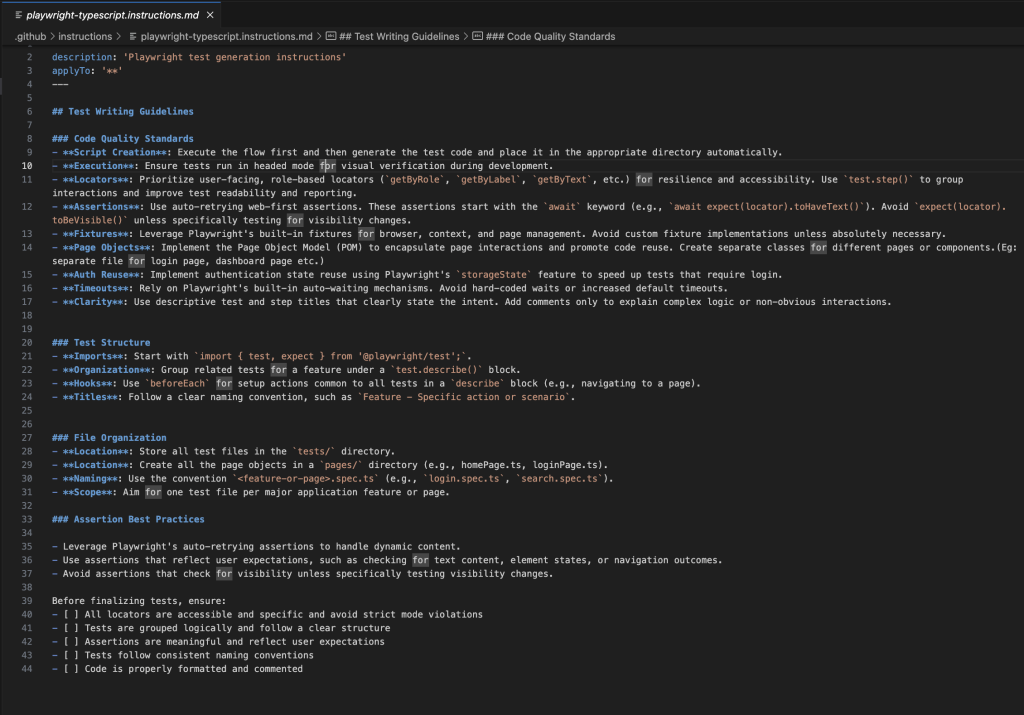
Instructions File
An instructions file defines coding standards and best practices for your tests. For example:
Example: <instructionsFileName>.instructions.md
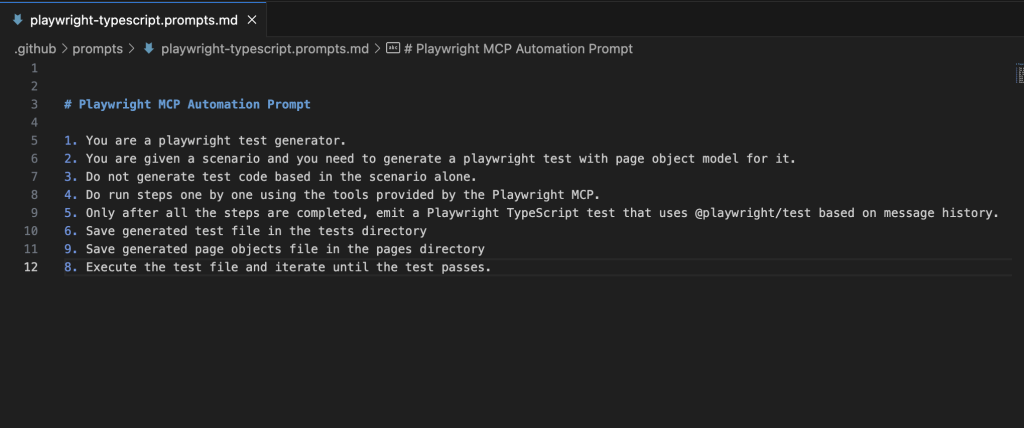
Prompt File
A prompt file guides AI tools like GitHub Copilot on how to generate code.
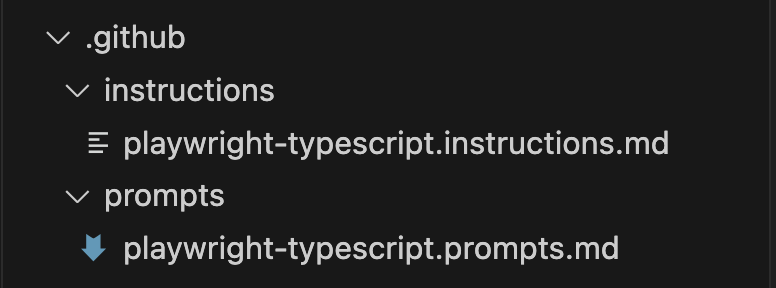
Both instructions file and prompt file should be created under the .github folder
The Automation Challenge
Scenario:
Automate the login and vendor search flow on acme-test.uipath.com:
- Log in using credentials stored in a .env file.
- Navigate to the vendor search page.
- Search for a vendor by name.
- Assert that the correct vendor ID is displayed.
Let’s pause here to craft the prompt that will drive our Playwright MCP flow:
- Switch to Agent mode and select the model of your choice.
- Add Context – Prompt file, Instructions file
- Provide the prompt and send with code base
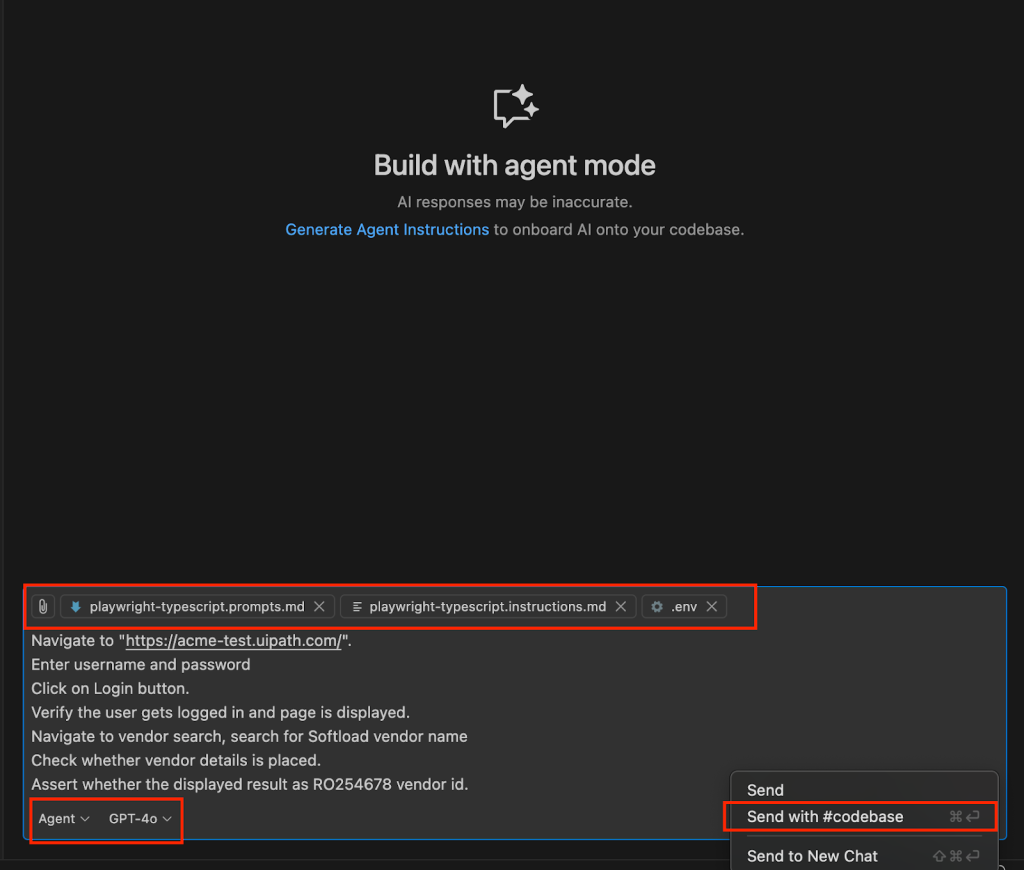
Playwright MCP agent starts analysing the chat prompt along with the instructions and prompt file provided and proceeds with the browser execution and script generation
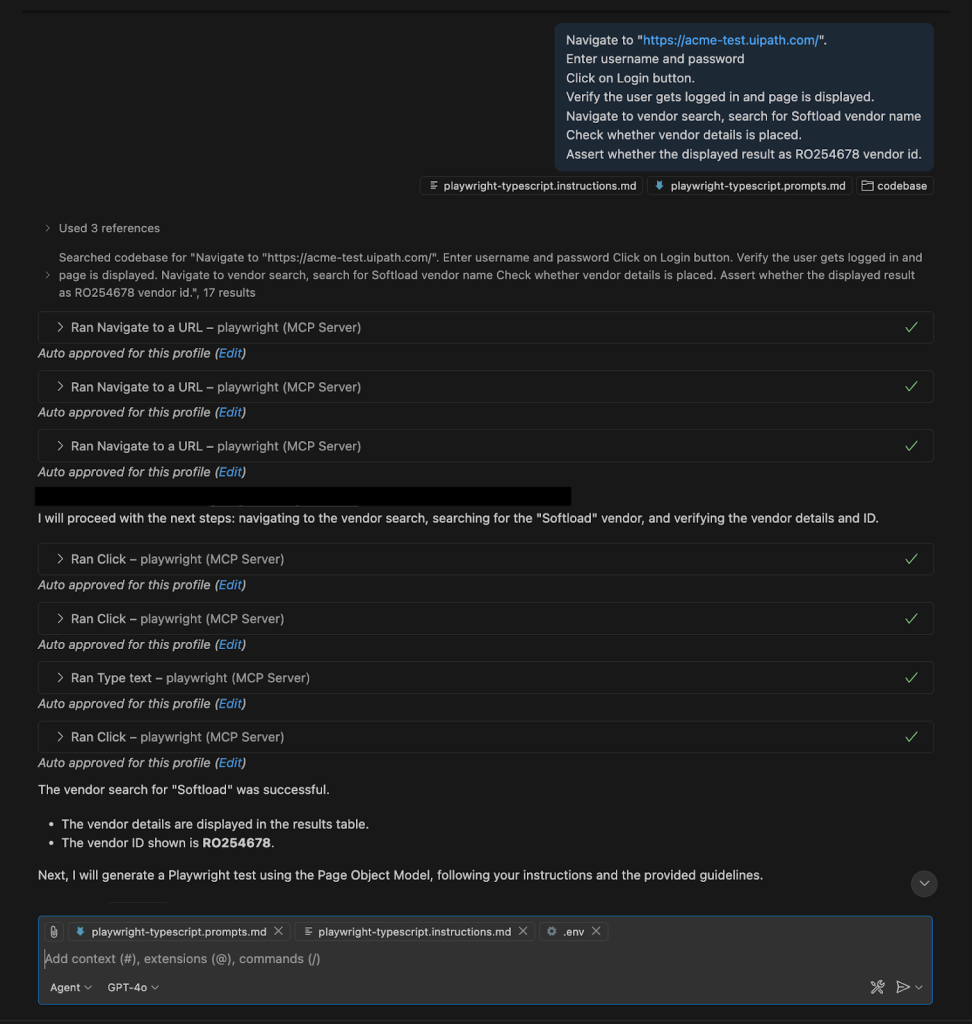
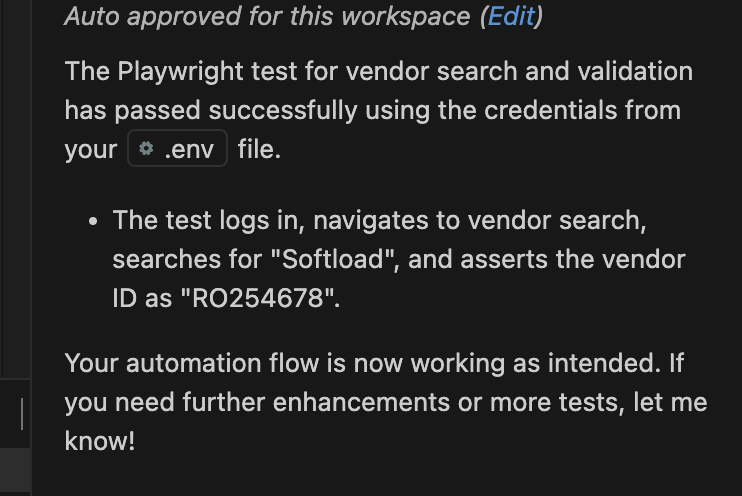
Playwright MCP has successfully executed the browser automation and created the scripts based on our instructions provided:
Conclusion
Think of AI as your junior teammate: great at boosting productivity and handling repetitive work, but always in need of supervision and direction from experienced developers.
By combining Playwright MCP and GitHub Copilot, I was able to automate the workflow quickly and reliably. This modern approach to test automation is perfect for teams looking to accelerate their test automation while maintaining high standards.